GoForum🌐 V2EX

Codex+AgentDraw:炫酷做图的全新最佳姿势

plane · 2026-07-12 08:48 · 0 次点赞 · 0 条回复

安装 AgentDraw

告诉 Codex:

帮我参考: https://raw.githubusercontent.com/agentdraw/agentdraw/main/INSTALL.md ,安装一下 agentdraw 。

Codex 使用

直接把你想总结的文章发给 Codex ,让 Codex 使用 agentdraw 帮你总结,你可以选用自己喜欢的风格。不清楚的话可以上 Readme 看看: https://github.com/agentdraw/agentdraw

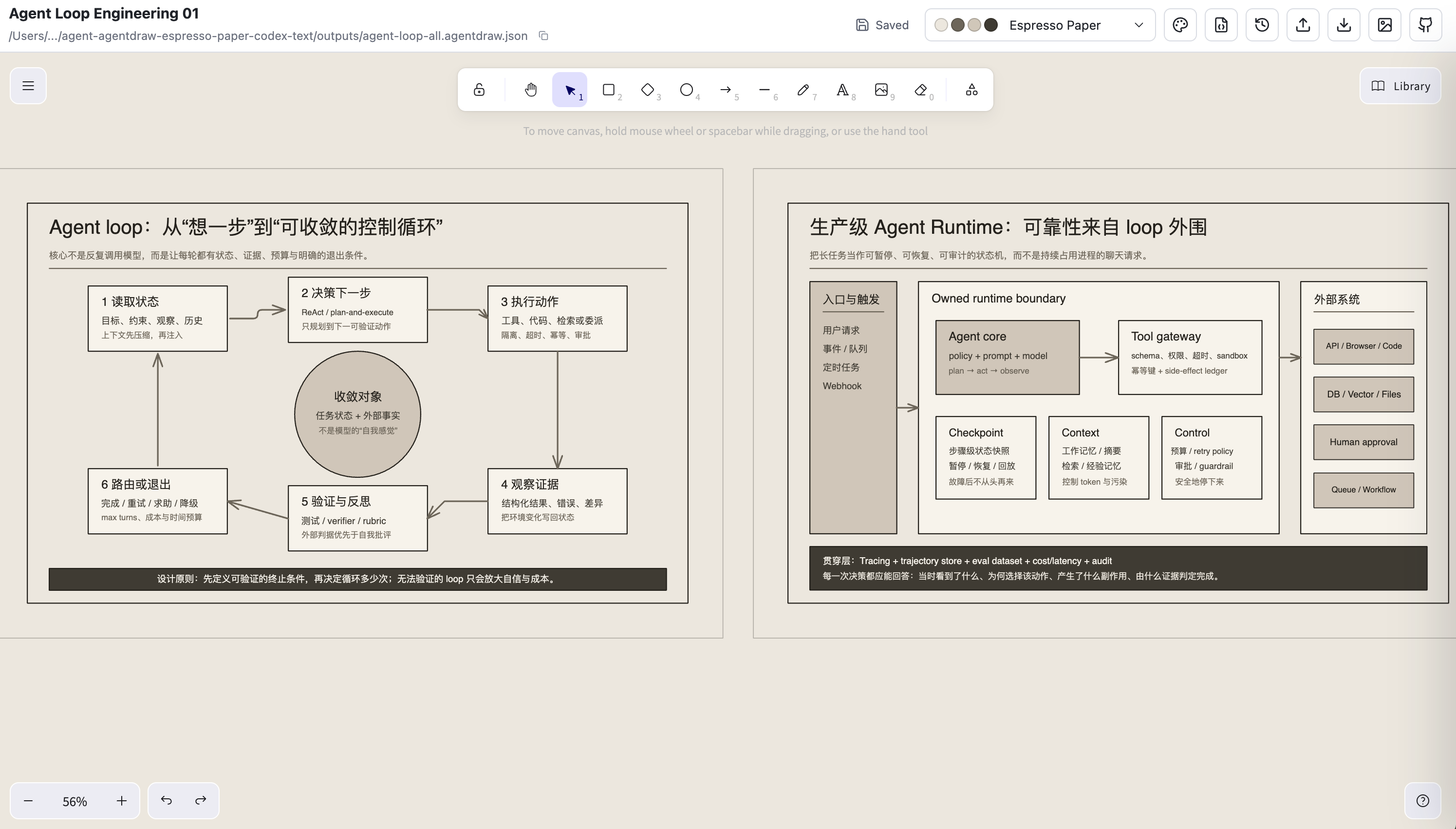
稍等一会会,他就能给你做出来了,并在内置浏览器打开:
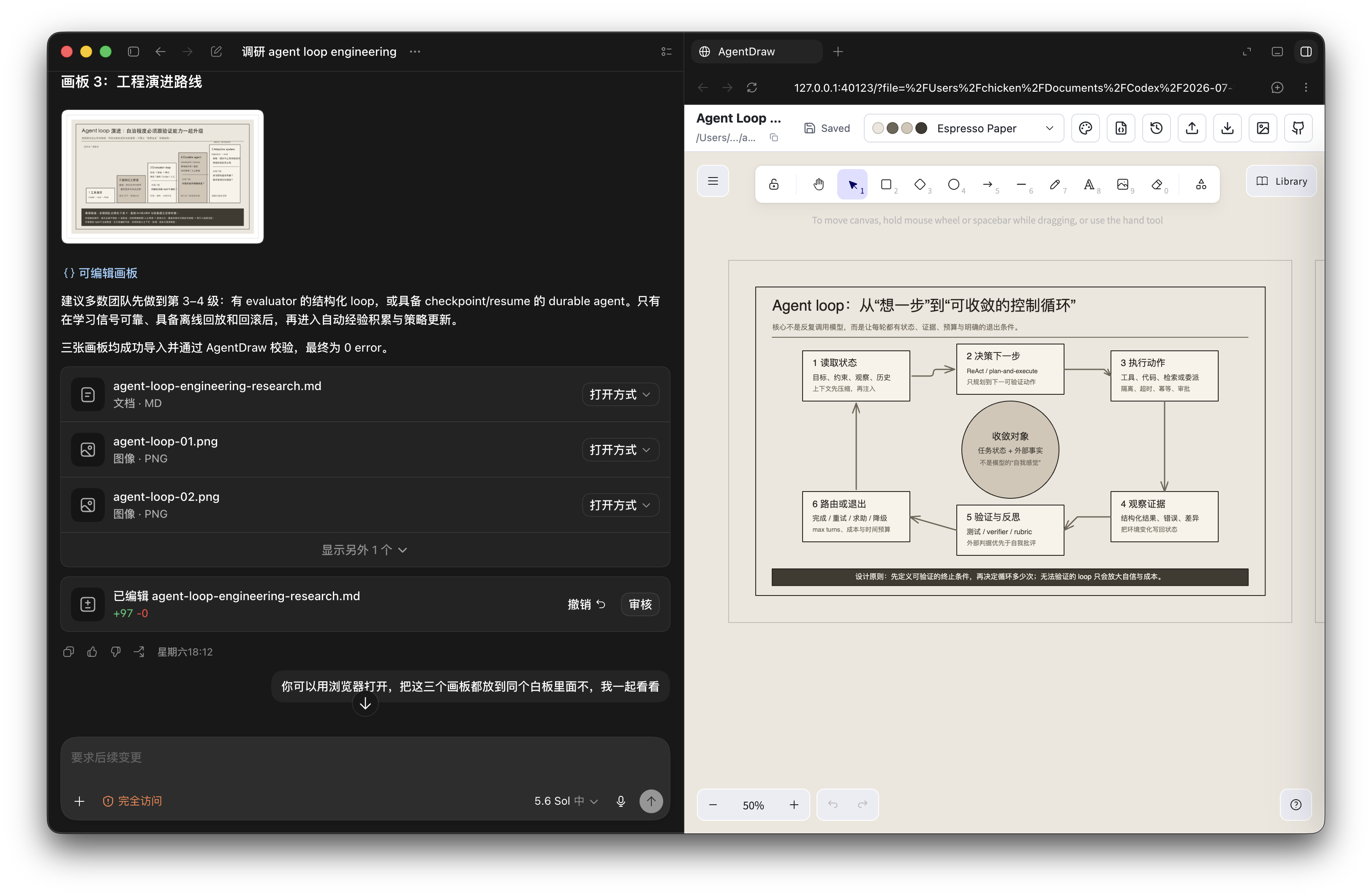
截屏 2026-07-12 08.28.11

截屏 2026-07-11 19.44.50

最酷的就是,这是用 Excalidraw 打开,一个很强大的开源白板项目,你可以随意修改和加各种元素上去,然后导出 png 图片去分享或粘贴!

感兴趣可以帮忙给项目点点 star: https://github.com/agentdraw/agentdraw

一些风格参考

Monochrome big number layout

Reading room overlap layout

Swiss statement grid layout

Editorial sidebar layout

Strategic quadrant layout

Editorial timeline layout

Launch room theme example

AgentDraw OS theme example

Incident command theme example

Message bus theme example

Research synthesis theme example

Roadmap mint theme example

Strategy grove theme example

Raw grid theme example

Bold poster theme example

Soft editorial theme example

Knowledge shelf theme example

Spec notes theme example

0 条回复
添加回复
你还需要 登录 后发表回复

登录后可发帖和回复

登录 注册
主题信息
作者: plane
发布: 2026-07-12
点赞: 0
回复: 0